 海泰HIS前端开发文档
表格 - useLdVxeTable
TIP
useLdVxeTable的底层是使用了 vxe-table 实现的
该组件对 vxe-table 进行了二次封装,简化大量参数
默认开启了 虚拟滚动 以及宽高自动铺满父 div容器
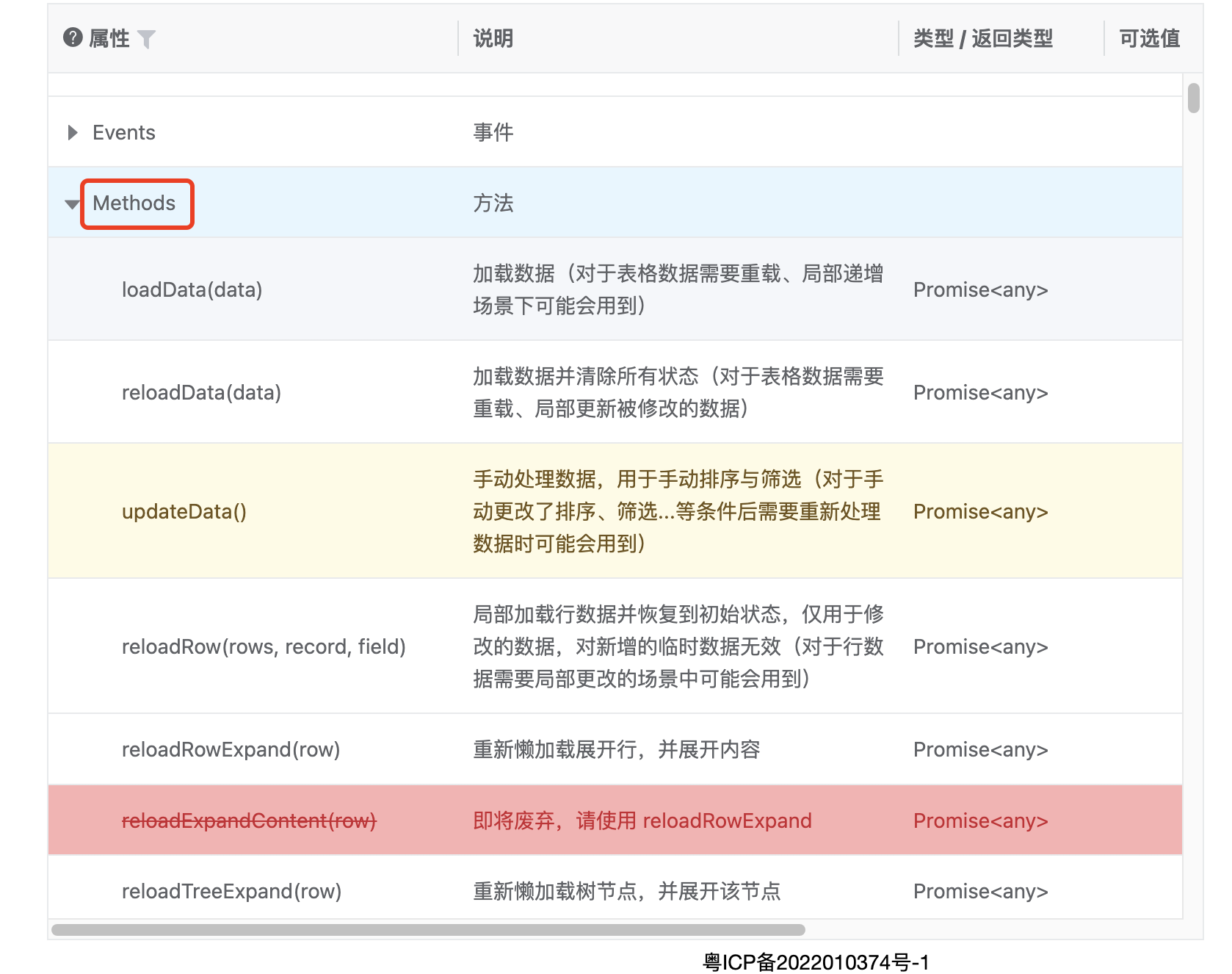
该组件还支持传入 vxe-table 自带的 Props 和 调用 Methods
使用示例
tsx
import { defineComponent } from "vue";
import { Model } from "~/src/core/components";
import { useLdVxeTable } from "~/src/core/model/hooks";

export default defineComponent({
  setup() {
    const table = useLdVxeTable({
      /** 数据源 */
      getList: async () => {
        return [];
      },
      /** 列配置 */
      column: [],
    });

    return () => (
      <>
        <Model model={table}></Model>
      </>
    );
  },
});
import { defineComponent } from "vue";
import { Model } from "~/src/core/components";
import { useLdVxeTable } from "~/src/core/model/hooks";

export default defineComponent({
  setup() {
    const table = useLdVxeTable({
      /** 数据源 */
      getList: async () => {
        return [];
      },
      /** 列配置 */
      column: [],
    });

    return () => (
      <>
        <Model model={table}></Model>
      </>
    );
  },
});
1
2
3
4
5
6
7
8
9
10
11
12
13
14
15
16
17
18
19
20
21
22
2
3
4
5
6
7
8
9
10
11
12
13
14
15
16
17
18
19
20
21
22
使用入参以 typescript 定义的类型文件为主
类型定义文件目录:src/core/model/components/tableVxe/types.ts
传入vxe-table 自带的 Props
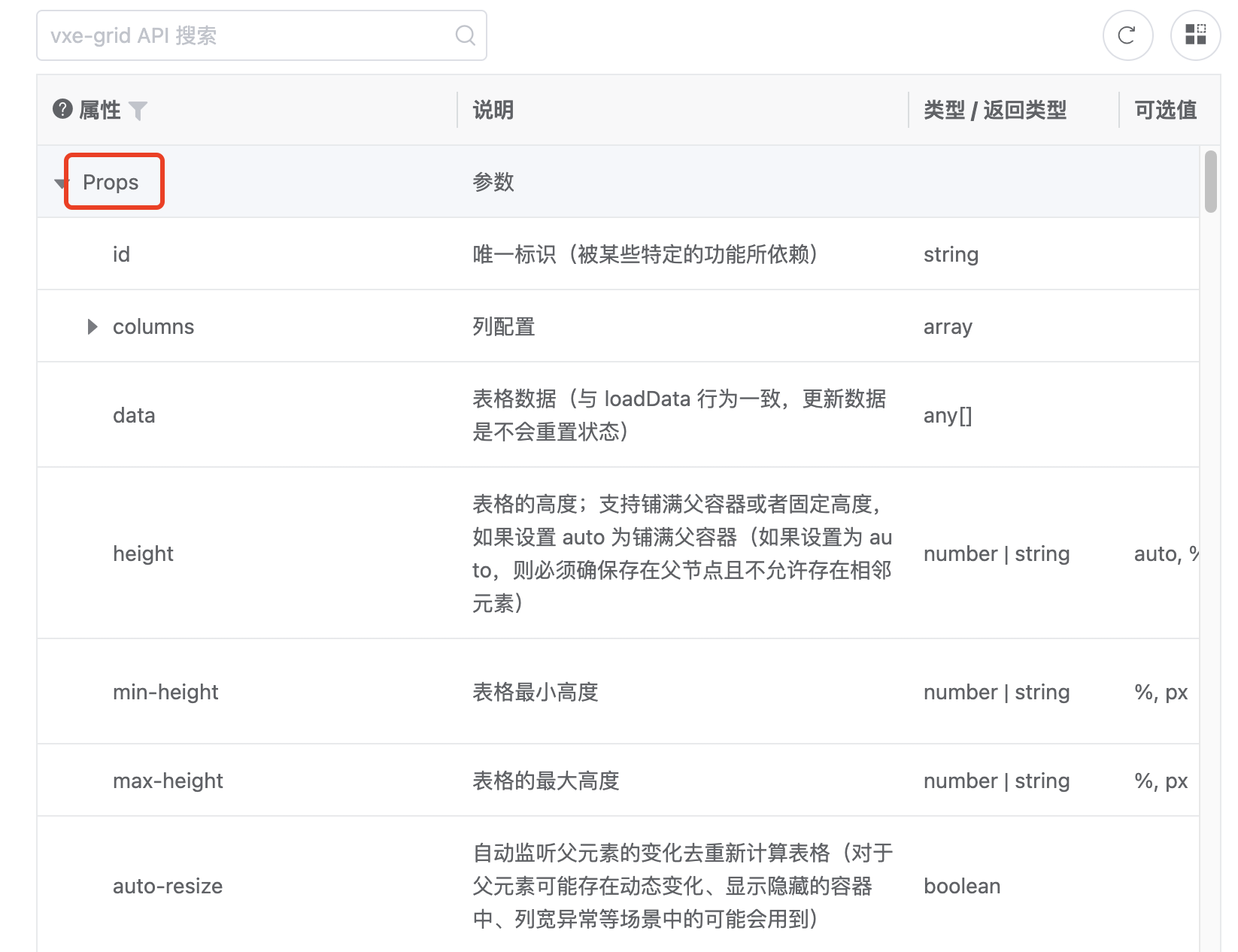
示例:
tsx
export default defineComponent({
  setup() {
    const table = useLdVxeTable({
      /** vxe-table 自带 Props */
      vxeConfig: {
        align: "center",
      },
      /** 数据源 */
      getList: async () => {
        return [];
      },
      /** 列配置 */
      column: [],
    });

    return () => (
      <>
        <Model model={table}></Model>
      </>
    );
  },
});
export default defineComponent({
  setup() {
    const table = useLdVxeTable({
      /** vxe-table 自带 Props */
      vxeConfig: {
        align: "center",
      },
      /** 数据源 */
      getList: async () => {
        return [];
      },
      /** 列配置 */
      column: [],
    });

    return () => (
      <>
        <Model model={table}></Model>
      </>
    );
  },
});
1
2
3
4
5
6
7
8
9
10
11
12
13
14
15
16
17
18
19
20
21
22
2
3
4
5
6
7
8
9
10
11
12
13
14
15
16
17
18
19
20
21
22
调用vxe-table 自带的方法
tsx
table.getTableRef().value?.<方法名>();
table.getTableRef().value?.<方法名>();
1
全表导出
第一步:需要改造请求方法(增加第二个参数)
config: IHttpConfigParams = {} 和 request 的第二个参数 config 需要增加
例如:
tsx
/** 药品信息查询 */
export function queryDrugInfo(query?: any, config: IHttpConfigParams = {}) {
  return request<YPxxDeparts[]>(
    {
      url: "/ld/common/v1/MedicareControlWork?method=queryDrugInfo",
      method: "post",
      data: {
        ...query,
      },
    },
    config
  );
}
/** 药品信息查询 */
export function queryDrugInfo(query?: any, config: IHttpConfigParams = {}) {
  return request<YPxxDeparts[]>(
    {
      url: "/ld/common/v1/MedicareControlWork?method=queryDrugInfo",
      method: "post",
      data: {
        ...query,
      },
    },
    config
  );
}
1
2
3
4
5
6
7
8
9
10
11
12
13
2
3
4
5
6
7
8
9
10
11
12
13
第二部.往 vxeTable 传导出数据
tsx
export: {
        fileName: "医保匹配导出",
        dataSourceMethod: queryDrugInfo,
        query: () => {
          return {
            ...请求参数
          }
        }
      }
export: {
        fileName: "医保匹配导出",
        dataSourceMethod: queryDrugInfo,
        query: () => {
          return {
            ...请求参数
          }
        }
      }
1
2
3
4
5
6
7
8
9
2
3
4
5
6
7
8
9
或者
tsx
export: {
        fileName: "医保匹配导出",
        async getList(mapping) {
          return await queryDrugInfo({
            ...mapping,
            ...请求参数
          },{export:true});
        }
      }
export: {
        fileName: "医保匹配导出",
        async getList(mapping) {
          return await queryDrugInfo({
            ...mapping,
            ...请求参数
          },{export:true});
        }
      }
1
2
3
4
5
6
7
8
9
2
3
4
5
6
7
8
9
完整示例代码
tsx
const ToptableDom = useLdVxeTable<any>({
  enableGetList: false,
  vxeConfig: {
    toolbarConfig: {
      refresh: true,
      zoom: true,
      custom: true,
    },
  },
  export: {
    fileName: "医保匹配导出",
    dataSourceMethod: queryDrugInfo,
    query: () => {
      return {
        bxlx: bxlxRef.value, // 报销类型
        szxdm: szxdmRef.value, // 市中心代码
        ybdm: ybdmRef.value, // 国家标准编码
        yzflId: form.value?.yplb, //药理分类  %全部
        pym: form.value?.pym, //拼音码
        type: form.value?.ppflag, //类型 0未匹配 1已匹配 全部
        mitype: form.value?.mitype, // 医保类型
      };
    },
  },
  async getList(config) {
    let res = await queryDrugInfo({
      ...config,
      bxlx: bxlxRef.value, // 报销类型
      szxdm: szxdmRef.value, // 市中心代码
      ybdm: ybdmRef.value, // 国家标准编码
      yzflId: form.value?.yplb, //药理分类  %全部
      pym: form.value?.pym, //拼音码
      type: form.value?.ppflag, //类型 0未匹配 1已匹配 全部
      mitype: form.value?.mitype, // 医保类型
    });
    return res;
  },
  column: topColumn,
});
const ToptableDom = useLdVxeTable<any>({
  enableGetList: false,
  vxeConfig: {
    toolbarConfig: {
      refresh: true,
      zoom: true,
      custom: true,
    },
  },
  export: {
    fileName: "医保匹配导出",
    dataSourceMethod: queryDrugInfo,
    query: () => {
      return {
        bxlx: bxlxRef.value, // 报销类型
        szxdm: szxdmRef.value, // 市中心代码
        ybdm: ybdmRef.value, // 国家标准编码
        yzflId: form.value?.yplb, //药理分类  %全部
        pym: form.value?.pym, //拼音码
        type: form.value?.ppflag, //类型 0未匹配 1已匹配 全部
        mitype: form.value?.mitype, // 医保类型
      };
    },
  },
  async getList(config) {
    let res = await queryDrugInfo({
      ...config,
      bxlx: bxlxRef.value, // 报销类型
      szxdm: szxdmRef.value, // 市中心代码
      ybdm: ybdmRef.value, // 国家标准编码
      yzflId: form.value?.yplb, //药理分类  %全部
      pym: form.value?.pym, //拼音码
      type: form.value?.ppflag, //类型 0未匹配 1已匹配 全部
      mitype: form.value?.mitype, // 医保类型
    });
    return res;
  },
  column: topColumn,
});
1
2
3
4
5
6
7
8
9
10
11
12
13
14
15
16
17
18
19
20
21
22
23
24
25
26
27
28
29
30
31
32
33
34
35
36
37
38
39
2
3
4
5
6
7
8
9
10
11
12
13
14
15
16
17
18
19
20
21
22
23
24
25
26
27
28
29
30
31
32
33
34
35
36
37
38
39